
Clare from Clare’s Cosmos invites everyone to join her in Sharing Your Desktop (SYD). Below are her suggestions for participating in the Share Your Desktop Challenge
- To do so, simply share the photo* you have set as your wallpaper;
- Provide as little or as much detail as you wish;
- Use a pingback, or post a link here so I know you have joined in on the fun;
- Then finally, share the fun around.
I am sharing my Wallpaper from both my Laptop and my Smartphone. I enjoy looking at different images each month. Most of which revolve around Coleman (my grandson) and nature.
Here are my Smartphone Wallpapers:
Personal Focus
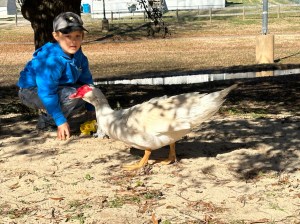
in Riverside Park and Greenway
Hiking Focus

checking out the
Disc Golf Catcher at
Goat Island Park and Greenway
Reading Focus
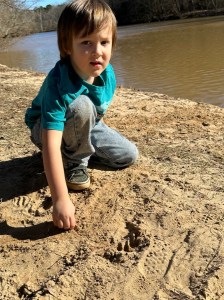
playing in the Sand
at Riverside Park and Greenway
Here are my Wallpapers from my Laptop:
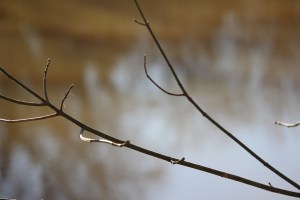
Laptop Desktop Wallpaper

on a Tree Limb
Goat Island Park and Greenway
Laptop Screensaver
Goat Island Park
and Greenway
Clare’s Share Your Desktop-January 2025
Photo Credit:©️2025 Deb L. Waters … All Rights Reserved.
Cameras: 1-3) Apple iPhone 14 Pro Max; 4-5) Canon EOS Rebel T3i with Canon EF-S55-250mm lens and Altura UV Filter attachment.
Location: 1-2) Riverside Park and Greenway; 3-5) Goat Island Park and Greenway; Cramerton, North Carolina, USA
God Bless. Have a funtastic week. Keep Warm. Stay Safe. Thank you for visiting and sharing your time and thoughts with us. I appreciate y’all very much.

 Gfpacificbee’s Insights & photography
I just love that your wallpapers focus around Coleman 🥰 and I’ll never tire of seeing him. Thank you so much for sharing these wonderful photos with me and, as usual, joining in on the SYD fun.
LikeLiked by 1 person
Thank you Clare! Coleman’s my world. My daughter would probably say I take too many pictures. He enjoys me taking his picture. He loves to look at himself.
LikeLiked by 1 person
I will be exactly the same when I, too, have a grandchild 🥰
LikeLiked by 1 person